Best Turntables with USB 2026 | Digitize Your Vinyl

Vinyl collector for over thirty years. Found my first turntable and a box of records in the loft at twelve — Nashville Skyline, After the Gold Rush, Disraeli Gears. Still spinning on a vintage Sony PS-X600.
Just so you know, some links on this page are affiliate links. If you buy something via them, we get a small kickback. You don't pay more, but it helps toward the next record.
The Audio-Technica AT-LP120XUSB is the best USB turntable for most people. At around $349, it combines direct drive, an upgradeable cartridge, and clean USB output for digitizing your vinyl collection. The AT-LP60XUSB is the right choice if budget is the main constraint. Here's everything you need to choose between them, and whether you need USB at all. And if you're chasing audiophile-grade rips, I'll explain why a separate USB audio interface beats any built-in USB output, and when that's overkill for what you're actually digitizing.
Not sure which setup is right for you?
Take Our QuizMost people who buy USB turntables rarely use the USB. They buy it as insurance, then never plug in the cable. That's fine, these are good turntables with or without the USB. Just be honest about whether you'll actually digitize anything before paying extra for the feature.
Why Vinyl Digitizing Is Worth It
Records hold music that streaming never will. Out-of-print pressings, regional releases, custom pressings, local bands, and live recordings exist only on vinyl. Digitizing them creates a backup that survives the inevitable: a scratched record, a water-damaged collection, a turntable that stops working before you can find another.
Family recordings are the most urgent case. Grandparents' records, wedding music, home recordings pressed by local studios in the 1960s and 70s, these are irreplaceable and fragile. A single weekend digitizing project creates a permanent archive. People who've done it describe a quiet urgency once they start: this might be the last good copy of this record anywhere.
Even for mainstream pressings, vinyl often sounds different from the streaming master, sometimes deliberately, sometimes as a result of mastering decisions made decades ago. Early pressings of classic albums are often preferred by serious listeners. Digitizing your specific pressing captures your specific copy, not the remastered version that replaced it.
The USB turntable makes this practical. No audio interface, no converters, no technical setup. Connect USB to computer, open recording software, press record.
Audio-Technica AT-LP60XUSB
The AT-LP60XUSB is the budget LP60X with USB output added. Same fully automatic operation, same built-in preamp, same reliable belt-drive mechanism. The USB port sends audio directly to your computer for recording.
Good for occasional digitizing, converting a few favorite records or preserving something rare. The recording quality matches the turntable's output: clean and enjoyable, not audiophile reference. For most people's purposes, it's more than adequate.
Audio-Technica includes Audacity (free recording software) on their website, though you can use any recording app. Connect via USB, hit record, flip the record when it's time. Check Price on Amazon

Best budget USB turntable, automatic operation, simple digitizing
Audio-Technica AT-LP120XUSB
The AT-LP120XUSB is the one to get if you're serious about both listening and digitizing. Direct-drive motor, removable headshell for cartridge upgrades, pitch control, built-in preamp with bypass, it's a proper turntable that happens to have USB.
The USB output quality is better here because the turntable itself is better. Upgrade the cartridge and your digital recordings improve too. If you're digitizing a large collection, the LP120XUSB handles marathon sessions without breaking a sweat.
This is the turntable most vinyl digitizers on r/vinyl and the Steve Hoffman Forums recommend. Good enough for serious archival work, versatile enough for everyday listening. Check Price on Amazon

Best USB turntable overall, direct drive, upgradeable, serious archival quality
Sony PS-LX5BT: USB and Bluetooth in One Deck
The Sony PS-LX5BT is a recent arrival and does something neither Audio-Technica offers: USB output for digitizing and aptX Adaptive Bluetooth for wireless listening in a single turntable.
The USB connection works the same as the Audio-Technicas, plug into your computer, open Audacity, record. But when you are not digitizing, the PS-LX5BT streams to Bluetooth speakers or headphones at a quality level that standard SBC Bluetooth cannot match. Most listeners cannot reliably tell aptX Adaptive from a wired connection in a normal room. That dual capability makes this the turntable for someone who wants to archive their collection and listen wirelessly without owning two separate decks.
The cartridge is removable, a standard half-inch mount headshell, same as the AT-LP120X. When the stock cartridge no longer satisfies, swap it for a Nagaoka MP-110 or Ortofon 2M Red without replacing the turntable. The chassis is rigid aluminium rather than plastic. Tracking force is set at 2.0 grams, well within safe range.

USB digitizing + aptX Adaptive Bluetooth, removable cartridge, rigid chassis, 2.0g tracking
The honest trade-off is price. The PS-LX5BT costs more than the AT-LP120XUSB, and the LP120X has a longer track record with vinyl communities. The Sony is newer, with fewer long-term owner reports. If you only need USB and have no interest in Bluetooth, the LP120XUSB remains the better value. If wireless listening matters and you want USB as well, the PS-LX5BT is the only turntable that does both properly.
Software for Digitizing
Audacity (free): Open-source, works on Mac and Windows. Record, split tracks, remove clicks and pops. The standard tool for vinyl digitization. Available from audacityteam.org.
VinylStudio: Designed specifically for vinyl digitization. Automatic track splitting, click removal, and RIAA correction. Worth the money if you're digitizing more than a handful of records.
iZotope RX: Professional audio restoration. Removes clicks, pops, and surface noise with surgical precision. Overkill for casual use, but fantastic for preserving rare records.
Choosing Your File Format
This matters more than people expect. Getting it wrong means re-digitizing everything later.
FLAC is the standard for archival digitizing. Lossless compression that captures everything the stylus reads. File sizes are roughly 300-400 MB per album side. Use FLAC when preservation is the point, rare records, family recordings, anything irreplaceable.
WAV is uncompressed lossless. Slightly larger than FLAC but universally compatible. Use WAV if you're unsure whether your software reads FLAC, or if you're handing files to someone else. The quality difference from FLAC is zero.
MP3 at 320kbps is fine for convenience copies. Small files, plays everywhere, sounds good to most ears. Use MP3 when you want the album on your phone and aren't worried about archival quality. Lossy compression means you can't recover the original quality later, so don't use MP3 as your only copy.
Recommended workflow: Record at 24-bit/96kHz WAV, archive those master files, then export 320kbps MP3 for daily use. The master file is your insurance; the MP3 is your convenience copy.
The Recording Process: Step by Step
This is simpler than most guides suggest.
Before you start: Clean the record. Every surface pop and click gets captured permanently. A basic carbon fiber brush removes loose dust. A wet cleaning kit removes embedded grime. Skip this step and you'll hear why you shouldn't have.
Settings to use: Open your recording software, set input to the USB Audio Codec (or similar, your turntable's name will appear as an audio device), and record at 24-bit/96kHz. This creates a high-quality master regardless of your eventual output format.
Recording: Drop the needle, hit record in your software. Record the full side without stopping. Let it play through including runout groove, you'll trim later. Flip the record and record side two.
Editing: In Audacity or VinylStudio, zoom in to find the gaps between tracks. Add track markers at each gap. Apply noise reduction lightly (too much sounds unnatural). Export as your chosen format with proper metadata (artist, album, track titles).
The cartridge matters: The USB output captures whatever the stylus reads. An upgraded cartridge, even the $59 AT-VM95E, produces noticeably better digital files than the stock cartridge. If you're digitizing a prized collection, the cartridge investment pays off in the archive you're creating.
Tips for Better Recordings
Record at 24-bit/96kHz if your software supports it, you can always downsample later, but you can't add resolution after the fact.
Clean the record before digitizing. Every pop and click gets captured permanently. Our vinyl care guide covers proper cleaning.
Use a good cartridge. The USB output captures whatever the stylus extracts. An upgraded cartridge means better digital files. See our cartridge upgrade guide.
Record the full side, then split into individual tracks in your software. It's easier and more accurate than trying to start/stop between songs.
Questions Vinyl Digitizers Ask
Do I need a computer nearby while digitizing?
Yes, the USB connection streams audio live to your computer during recording. There's no onboard memory on these turntables. You'll need a laptop or desktop within USB cable range of your turntable. Most people set up at their desk or move a laptop to wherever the turntable lives. The recording software runs in the background while the record plays.
How good is the audio quality from USB turntables?
The AT-LP120XUSB captures audio at quality that professional archivists consider adequate for preservation work. The USB output bypasses the internal preamp in some configurations, sending a cleaner signal to your computer than what comes through the RCA outputs. Upgrading the cartridge on the LP120XUSB improves digital recording quality noticeably. The AT-LP60XUSB is functional but the digital recordings are competent rather than exceptional, fine for personal use, limiting for critical archival work.
Can I digitize 78 RPM records?
The AT-LP120XUSB supports 33, 45, and 78 RPM playback. The AT-LP60XUSB only plays 33 and 45. For 78s, you also need a 78 RPM cartridge (the stylus profile is different from standard LP cartridges), and the equalization curve for 78s differs from modern records. Audacity can apply correct 78 RPM EQ in post-processing. If your collection includes 78s, the LP120XUSB is the correct choice.
What's the difference between USB out and RCA out quality?
Through the RCA outputs, the signal passes through the turntable's internal phono preamp and RIAA equalization circuitry. Through the USB output, the signal is converted to digital inside the turntable using its onboard ADC (analog-to-digital converter). Neither is perfect. For everyday listening, the RCA outputs into a decent external preamp will sound better. For digitizing, the USB output is more convenient, though connecting an external preamp via RCA to a standalone audio interface (like the Focusrite Scarlett Solo) produces higher-quality digital files than either turntable's onboard USB.
Does the stylus wear out faster from digitizing sessions?
No more than from normal listening. The stylus accumulates wear in hours of play regardless of whether you're recording. Budget $20-30 for a replacement stylus every 300 to 500 hours. If you're doing a large digitizing project, converting an entire collection, clean records thoroughly before each session to minimize abrasive particle contact. A clean record extends stylus life and produces cleaner recordings simultaneously.
Should I get a USB turntable or a regular turntable plus audio interface?
Depends on your goals. A USB turntable (AT-LP120XUSB) is the fastest path to recording, minimal setup, everything integrated. An audio interface like the Focusrite Scarlett Solo plus a better turntable produces superior audio quality. If you're digitizing for convenience, the integrated USB is fine. If you're doing serious archival work, rare records, family recordings, anything you'll only do once, a proper audio interface route produces files you'll never wish were better.
Do You Actually Need USB?
Honest answer: probably not, but if you do, it's genuinely useful.
Most people who buy USB turntables never plug in the USB cable. They play records for years and the USB port collects dust. If that's you, the AT-LP120X (without USB) sounds marginally better than the XUSB version and costs the same. Skip the feature you won't use.
But if you have specific records worth preserving, a family member's collection, rare pressings, recordings not available anywhere digitally, digitizing them is a project with a clear end and real value. The USB turntable makes it accessible without additional equipment. Do it once properly and you have those recordings permanently.
The AT-LP120XUSB is the turntable to buy if you're serious about both listening and archiving. The AT-LP60XUSB is for people who want the option at minimal cost. The Sony PS-LX5BT is for the person who wants USB digitizing and wireless Bluetooth listening without compromising on either. All three will do what you need. Start the project this weekend, collections don't get smaller, and records don't get younger.
If you are genuinely torn between the LP120XUSB and the PS-LX5BT, ask yourself one question: will you listen wirelessly more than once a week? If yes, the Sony pays for the premium every time you stream to headphones or Bluetooth speakers without running a cable. If wireless is a nice-to-have rather than a daily reality, save the $100 and put it toward a cartridge upgrade for the LP120XUSB, that investment improves both your listening and your digital recordings.
What to Expect from Your First Session
Digitizing vinyl is slower than people expect. A full album takes 45-60 minutes when you include setup, playing both sides, splitting tracks, applying basic restoration, and exporting files. Budget an hour per album.
That's not a criticism, it's just the rhythm of the process. Most people who do it find it meditative: a vinyl workflow that demands attention and rewards it. Drop the needle, sit with the record, hear it differently because you're listening critically for pops you'll want to remove later.
Start with one record you care about. Not your rarest, a familiar album you know well enough to notice if the recording sounds off. Use that first session to learn the software, understand your levels, and calibrate the process. Then move to the irreplaceable stuff.
The records most worth digitizing are usually the ones you'd be devastated to scratch: pressings that don't exist on streaming, family recordings, early releases that sound different from the modern remaster. An afternoon project creates a permanent digital archive. Do it once properly and you won't have to do it again.
The most common mistake first-timers make is recording levels, too hot and you get clipping, too low and you lose detail in quiet passages. In Audacity, aim for peaks around -6dB during recording. You can always amplify a clean quiet recording, but you can't fix a clipped loud one. Get the levels right on your test album and every session after that becomes routine.
For more on getting the most from your turntable and keeping records in good condition, see our vinyl care guide and record player setup guide. A properly set-up turntable with correct tracking force not only sounds better but produces better digitising results, the signal you capture is only as good as the stylus tracking the groove correctly.
Buyer's Guide: Choosing the Right USB Turntable
USB output quality. The USB audio interface built into a turntable determines the quality of the digital recording. The AT-LP60XUSB and AT-LP120XUSB both use adequate internal USB DAC chips for casual archiving. For audiophile-quality digitising, a better approach is to use a turntable without USB connected to a high-quality external USB audio interface, the Focusrite Scarlett Solo produces noticeably cleaner recordings than any built-in USB system. If you're archiving rare or valuable records, this matters.
Automatic vs. manual. The AT-LP60XUSB is fully automatic. The AT-LP120XUSB is manual, you place the tonearm yourself. For recording sessions where you're paying close attention, manual operation is fine. For background digitising while you work on something else, automatic is more convenient. Both produce equivalent recording quality.
Cartridge quality and the recording. The cartridge matters for digitising just as it does for listening. The AT-LP120XUSB's AT-VM95E cartridge extracts more groove detail than the AT-LP60XUSB's AT-3600L. If you're archiving records with fine surface detail, audiophile pressings, jazz recordings, classical, the LP120XUSB captures more of what's there. For digitising a standard record collection, the difference is audible but not dramatic.
Software options. Audacity is free and works on Mac and Windows. It is the standard recommendation because it does everything you need: multi-track recording, noise reduction, track splitting, and export to any format. Audio Hijack (Mac only, $69) has a cleaner interface and integrates well with macOS. GarageBand (free, Mac only) works for basic recording. Start with Audacity, most people never need anything else.
What you should realistically expect. A USB turntable connected to Audacity captures vinyl accurately. The recordings will have some vinyl characteristics: surface noise from imperfect records, the occasional pop or click, and the warmth of an analogue signal chain. These are not defects, they're what vinyl sounds like. If your aim is clinical digital recordings free of these characteristics, the source material matters: clean, well-pressed records on a properly maintained turntable produce clean recordings.
Cassette and 78rpm records. The AT-LP120XUSB plays 33 and 45rpm records out of the box, and 78rpm with the included 78rpm stylus. If you want to digitise cassettes, you'll need a separate cassette player with RCA output, USB turntables do not have cassette inputs. For 78s specifically, the LP120XUSB is the right choice; the AT-LP60XUSB only plays 33 and 45rpm.
When You Don't Actually Need USB
If your goal is to listen to vinyl, not digitise it, a standard turntable without USB costs the same and sounds the same. The AT-LP60X (without USB) and AT-LP120X (without USB) are identical in sound quality to their USB versions, the USB circuitry adds no sonic benefit for listening.
Consider USB only if: you have records not available on streaming services, family recordings or self-pressed vinyl you want to archive, or you specifically need the format compatibility of digital files. For straightforward vinyl listening, save the money and skip USB.
What to Avoid
Crosley suitcase-style turntables with USB exist but are not worth buying. The ceramic cartridges track at 5-7g of force, three times the correct amount, and damage records over time. The USB output captures the degraded signal from poor stylus tracking. You get bad recordings and damaged records.
Unbranded USB turntables under $100 on Amazon produce noisy, unreliable digital output. The USB audio converters in these units are poor quality. You'll spend more time cleaning up noise in Audacity than enjoying what you captured.
ION Audio turntables are widely available and frequently recommended because they're cheap. Build quality and USB output quality are significantly below the AT-LP60XUSB at a similar price. The stylus wears quickly and replacements are hard to source. Spend the same money on the AT-LP60XUSB instead.
If you only want to listen to vinyl, the standard AT-LP60X and AT-LP120X (without USB) cost the same and sound the same. The USB circuitry adds no listening quality benefit. Don't pay for a feature you won't use.
What I'd Buy Today
The AT-LP120XUSB. It's the turntable most serious vinyl digitizers use, recommended consistently on r/vinyl and the Steve Hoffman Forums for archival work. Direct drive is more reliable than belt drive for long recording sessions, the cartridge is upgradeable, and it handles 78s.
If $349 is too much right now, the AT-LP60XUSB gets you digitizing capability that's adequate for most purposes. You'll want to upgrade eventually, but it does the job while you build the rest of your setup.
If you listen wirelessly more than once a day, the Sony PS-LX5BT is worth the premium, USB digitizing and aptX Adaptive Bluetooth in one deck, with a removable cartridge you can upgrade later.
**Get the AT-LP120XUSB on Amazon →**
**Get the AT-LP60XUSB on Amazon →**
What You'll Need With It
Clean records before digitising. A click or pop that's barely noticeable during playback becomes a fixed artifact in the audio file, visible in the waveform, heard on every future listen. A proper clean before each recording session eliminates most of these permanently.
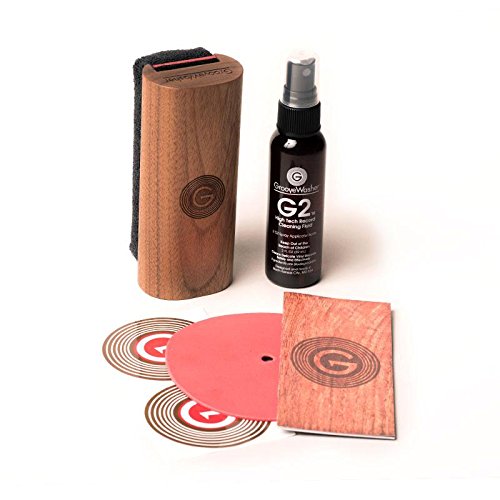
Professional cleaning system with microfibre brush, cleaning solution, and storage pouch. Safe for all vinyl types. Essential maintenance for preserving record quality.
Store records in anti-static inner sleeves between recording sessions. Handling records more than usual during a digitising project increases static buildup. These sleeves prevent dust from resettling on the surface between sessions.
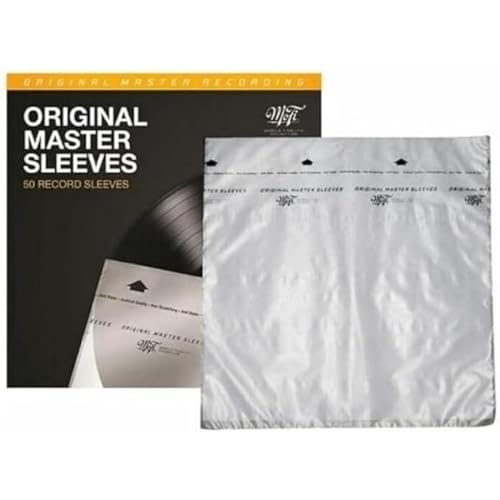
Audiophile-grade polyethylene sleeves preventing static buildup and dust accumulation. Archival quality protecting records for decades. Essential for serious collectors.
Find Your Perfect Setup
Answer a few quick questions and get personalised recommendations.
Start the QuizFrequently Asked Questions
What is a USB turntable used for?
USB turntables allow you to connect directly to your computer to digitize vinyl records into MP3, FLAC, or WAV files. This is ideal for preserving rare records, creating digital backups, or playing vinyl rips on portable devices. The USB output sends the audio signal directly to your computer for recording.
What is the best turntable with USB?
The Audio-Technica AT-LP120XUSB is the most popular option, offering excellent sound quality, direct drive, and USB output. The Audio-Technica AT-LP60XUSB is the budget choice. For higher quality, the Pro-Ject Debut Carbon DC USB adds audiophile performance with USB digitization capability.
What software do I need to digitize vinyl?
Most USB turntables include basic software like Audacity (free, open-source). For better results, use software like Adobe Audition, iZotope RX for audio restoration (removing clicks and pops), or VinylStudio which is designed specifically for vinyl digitization with automatic track splitting and RIAA correction.
Does USB affect sound quality when playing records normally?
No, the USB output is independent of the regular phono/line outputs. You can still connect the turntable to your speakers normally - the USB port is simply an additional output for computer connection. Most people use USB turntables primarily for listening, occasionally connecting them to digitize specific records.
Related Guides
Best Record Players 2026: Expert Picks at Every Budget
ComparisonAudio-Technica LP60X vs LP120X 2026 | Which to Buy
Setup GuideVinyl Record Care Guide 2026 | Cleaning and Storage
Buying GuideBest Turntables Under $500 2026: Rega vs Pro-Ject vs Audio-Technica
Buying GuideBest Turntables with USB UK 2026 | Digitise Your Vinyl
Ready to find your perfect setup?
Our quiz matches you with the right turntable, speakers, and accessories.
Take the Quiz - It's FreeNo email required